
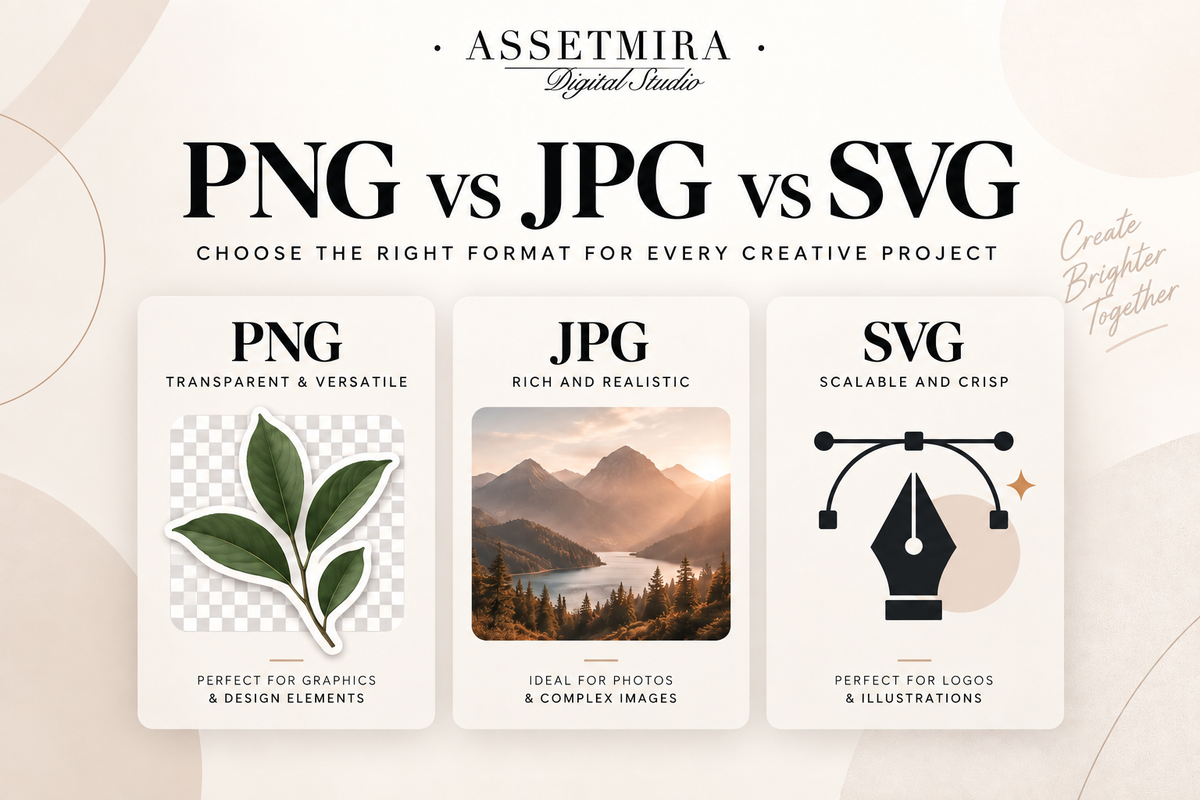
PNG, JPG and SVG can all look like simple image files, but they are built for different jobs. Choosing the right format affects transparency, sharpness, scaling, editing flexibility and file size. The easiest way to choose is to start with the final use of the artwork.
Quick answer: PNG vs JPG vs SVG
- PNG: best when you need transparency, crisp digital graphics or reusable design elements.
- JPG: best for photographs and image-heavy artwork where smaller file size matters more than transparency.
- SVG: best for vector artwork that needs to scale without becoming pixelated.
What is a PNG file?
PNG is a raster image format, which means the image is built from pixels. Its biggest advantage for designers is support for transparent backgrounds. That makes PNG useful for clipart, overlays, decorative elements, product graphics, digital stickers and artwork that needs to sit on top of another background.
Because PNG can preserve crisp edges and transparency, it is often a better choice than JPG for logos or illustrated elements exported from a raster workflow. Explore AssetMira PNG resources if you work with reusable transparent graphics.
What is a JPG file?
JPG is also a raster format, but it uses compression designed to keep photographic images relatively lightweight. It works well for photos, web banners, mockups and finished artwork that does not need a transparent background. Repeatedly saving and recompressing a JPG can reduce image quality, so keep an editable or high-quality master file when possible.
What is an SVG file?
SVG is a vector format. Instead of storing a fixed grid of pixels, it describes shapes and paths mathematically. That means an SVG can usually be scaled from a small icon to a large layout while keeping clean edges. It is especially useful for icons, simple illustrations, cutting-machine graphics, logos and other shape-based artwork.
Transparency: which format wins?
PNG and SVG can support transparency. Standard JPG files do not. If a customer needs to place an element over different backgrounds, PNG or SVG is usually the more practical delivery format, depending on whether the design is raster or vector.
Resolution and scaling
PNG and JPG are pixel-based, so enlarging them far beyond their original dimensions can make them look soft or pixelated. SVG artwork is resolution-independent because the shapes are recalculated at the requested size. That does not mean SVG is automatically better for every image: complex photographic content is usually better handled as a raster image.
Which format should you use for printing?
The answer depends on the printer, software and artwork. High-resolution PNG or JPG files can work well for raster printing workflows, while SVG can be useful when the production software supports vectors. Always check the technical requirements of the print provider rather than assuming one format fits every process.
Practical examples
- A transparent watercolor flower for a digital scrapbook: PNG.
- A lifestyle product photograph for a blog post: JPG.
- A simple scalable icon or cutting shape: SVG.
- A textured painting created in a raster drawing app: usually PNG or JPG depending on transparency and export needs.
Keep the original source file too
Export formats are not always the best editing formats. Keep the original layered or editable project when possible, then export PNG, JPG or SVG copies for delivery and publishing. This gives you flexibility when a client later asks for a different size, background or format.
Frequently asked questions
Is PNG always higher quality than JPG?
No. They use different compression approaches and are suited to different content. A properly exported JPG can look excellent for photography, while PNG is especially useful for transparency and sharp graphic edges.
Can I turn a JPG into an SVG and make it a true vector?
Simply changing the file extension does not convert raster pixels into vector paths. Proper vectorization requires tracing or rebuilding the artwork as vector shapes.
Which file format is best for digital products?
It depends on the product. Transparent graphics often use PNG, photographs commonly use JPG, and scalable shape-based artwork can use SVG. Many digital products include more than one format when each format serves a useful purpose.
Want a cleaner asset library after downloading multiple file types? Read how to organize digital design assets.


Comments
0 published · New comments are reviewed before appearingJoin the conversation
Your comment will be reviewed before it appears publicly.